
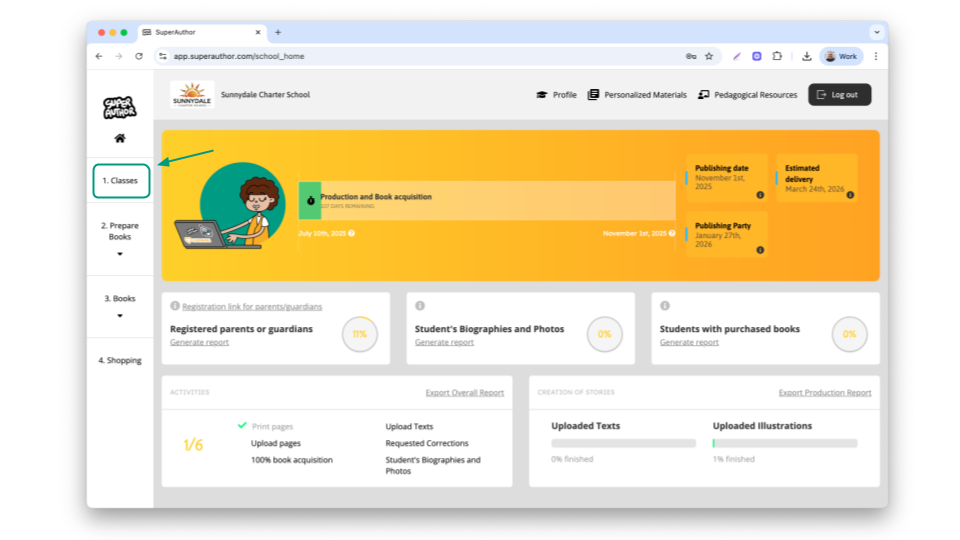
After logging in into the platform, click 1.Classes
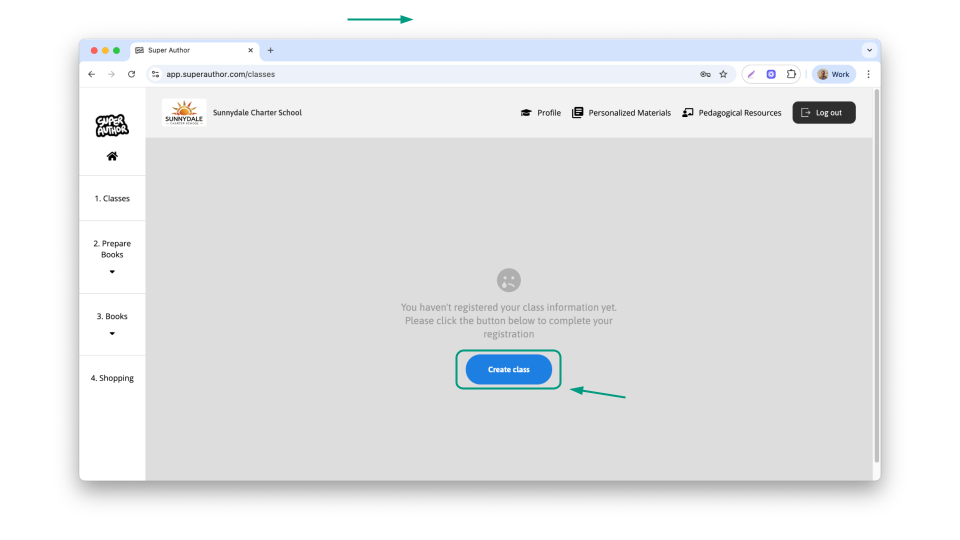
Then, click the blue button, add class
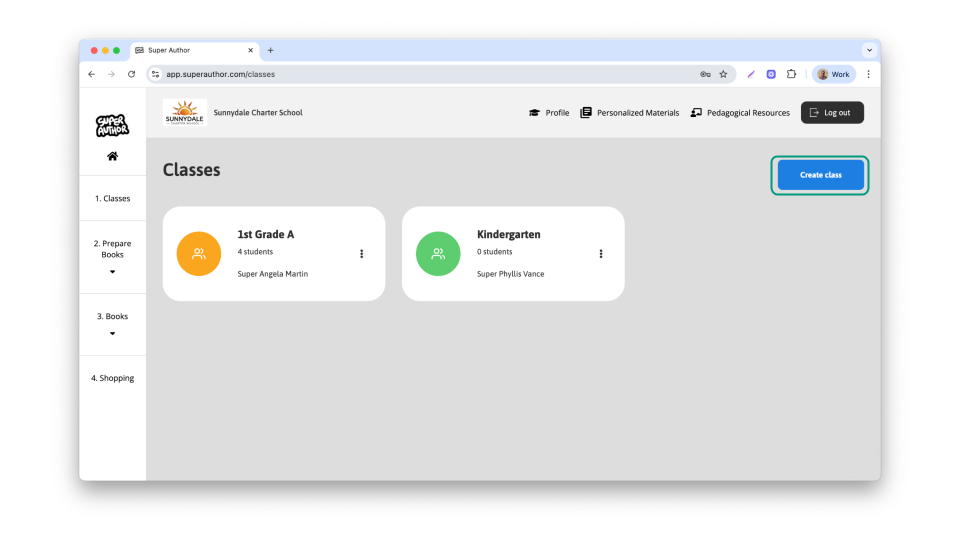
If you already have a class, the button will appear in the top right corner
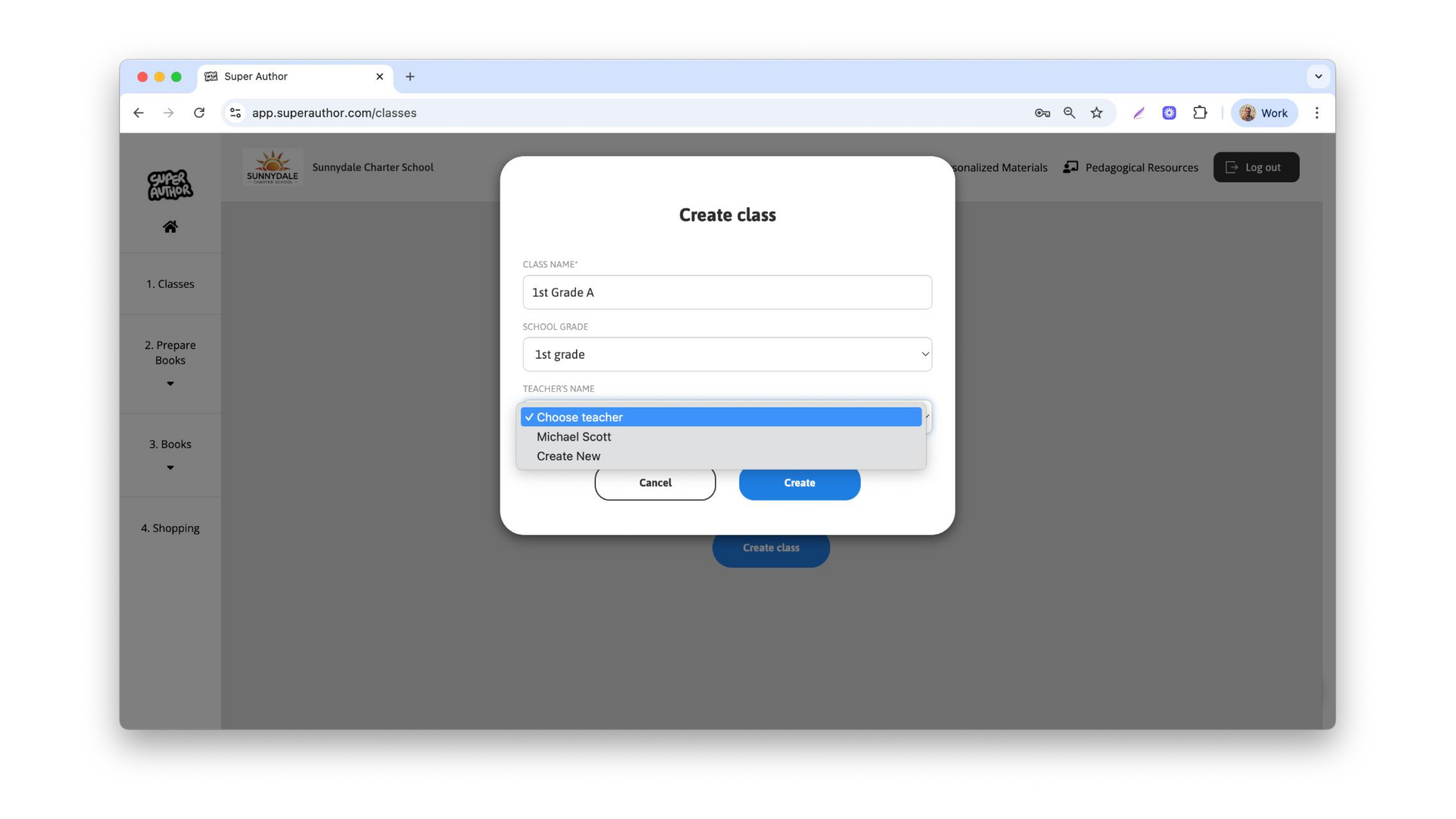
Then, fill out the name of the class, the name should be something that identifies your class among all the others in the school. Then, select the grade and the teacher.
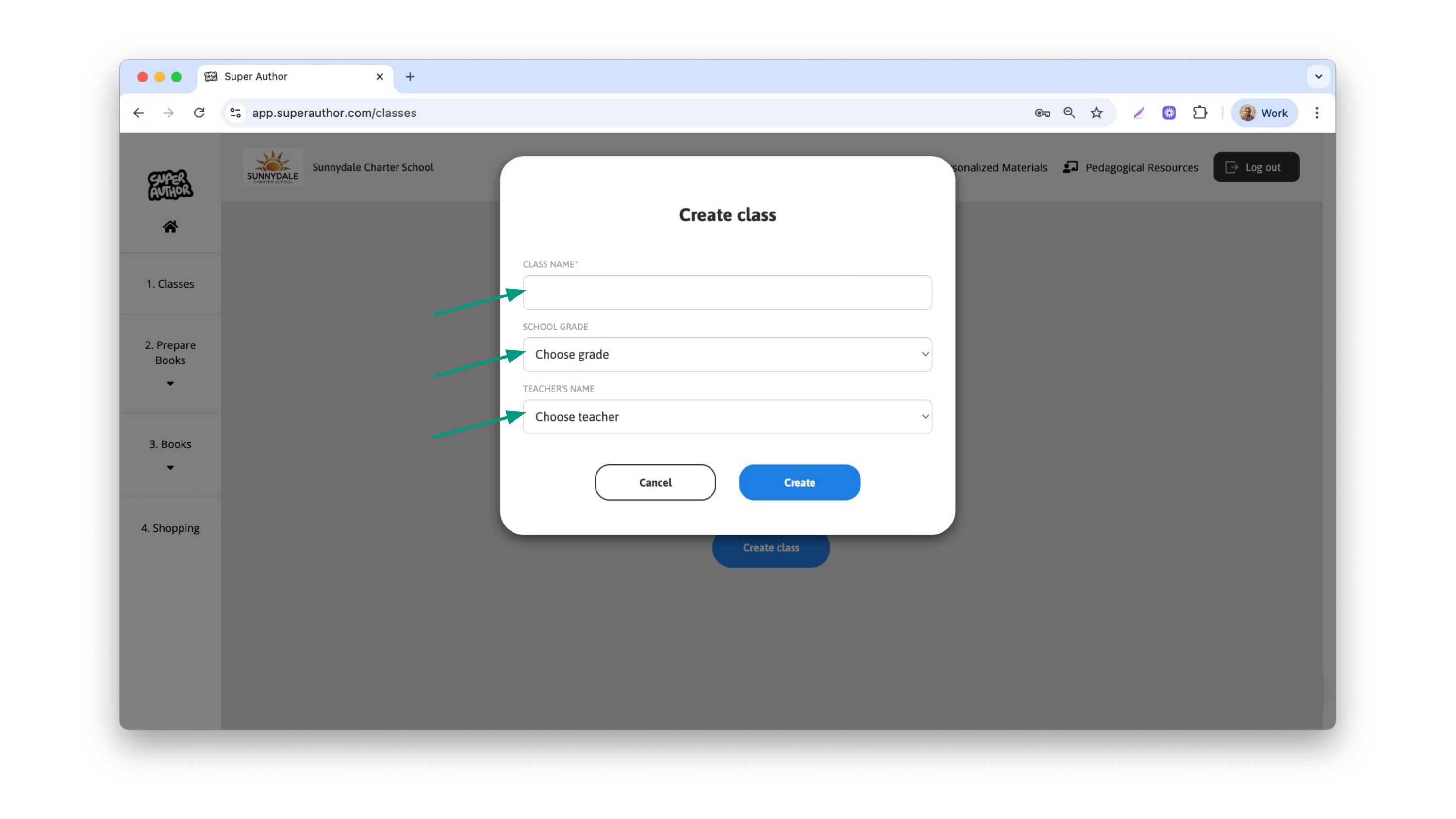
When choosing the teacher profile, you will be able to either select a profile previously created or create a new one.
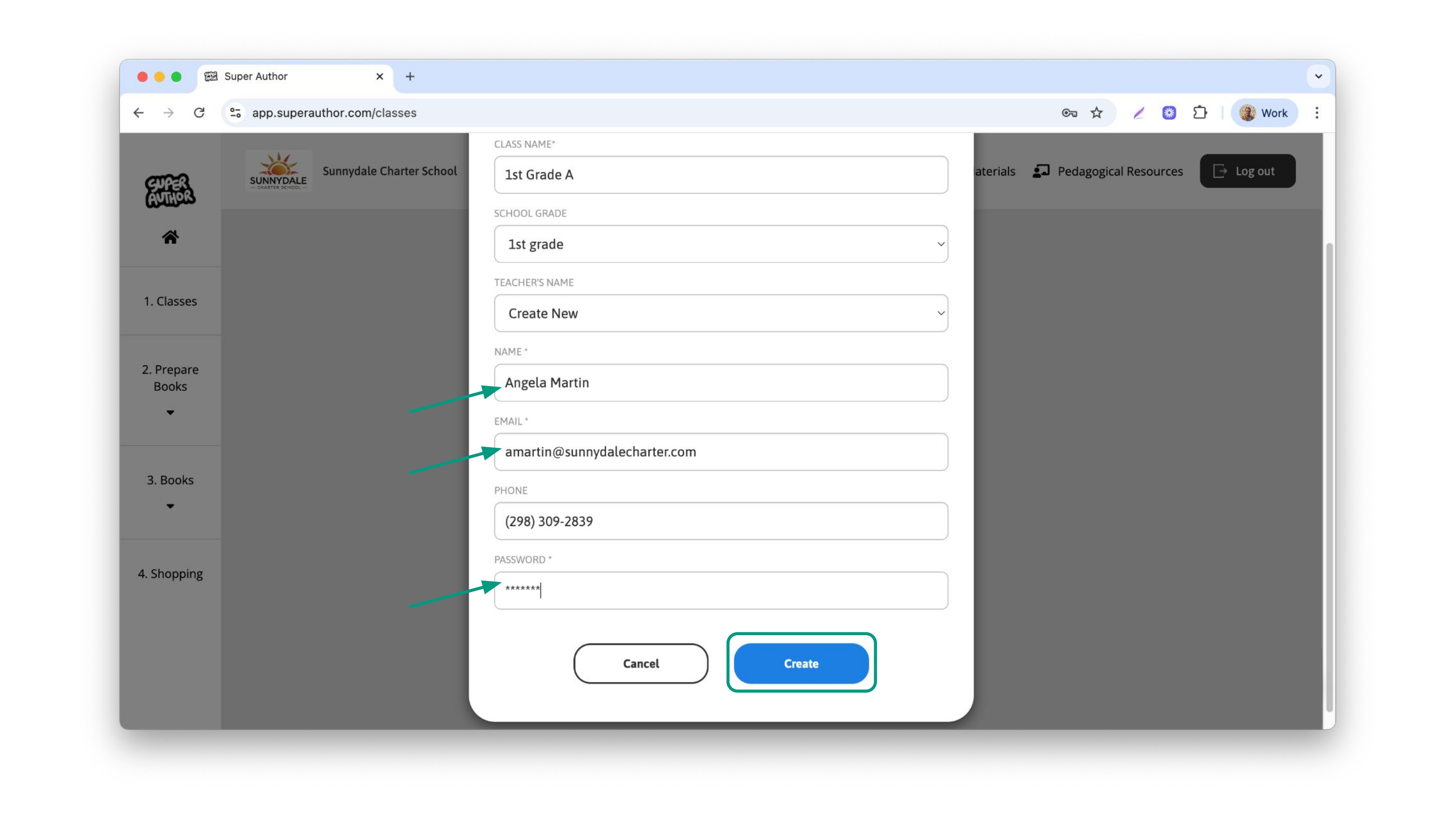
When choosing to create a new teacher profile, fill out the Name, e-mail or phone number and a standard password for them.
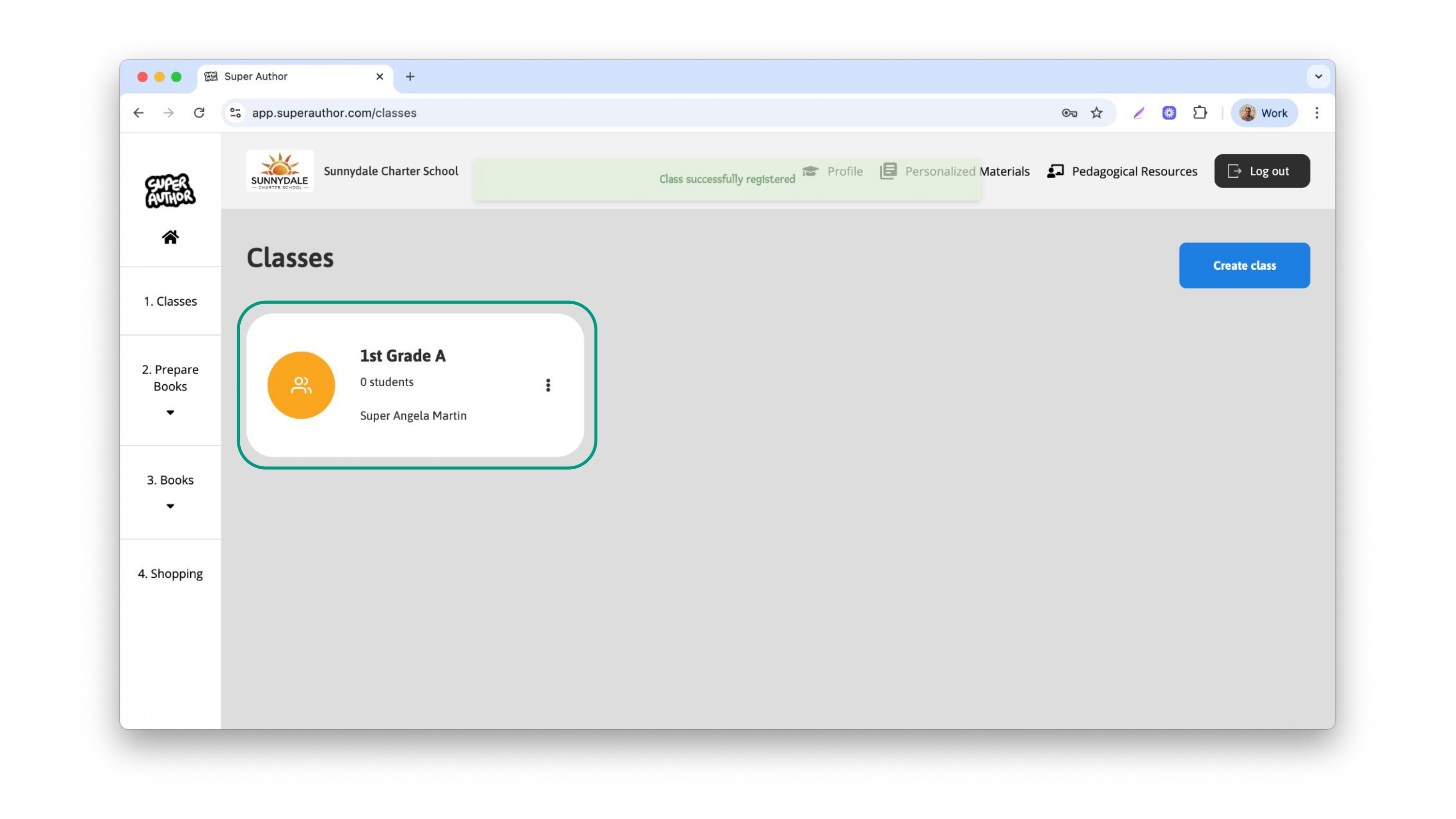
Once the class is created, it should appear as a card like this:
With your class created, the next step is to define how your project is going to work by accessing the class settings.